
What is Trust Wallet & What Does It Do?
Trust Wallet is a secure, self-custody crypto wallet that allows you to safely store, send and receive Bitcoin (BTC).
You fully control your private keys. No banks. No intermediaries. Full ownership of your funds.
You fully control your private keys. No banks. No intermediaries. Full ownership of your funds.
Step 1 — Install Trust Wallet on Your Phone
1
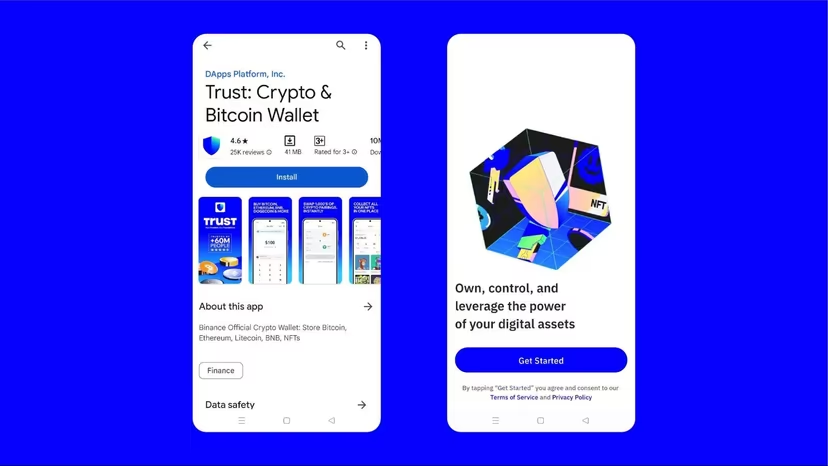
Go to https://trustwallet.com/download and install the application.
2
Open the app and tap “Get Started”.
3
Select “Create a new wallet”.
4
Choose “Back up manually”.
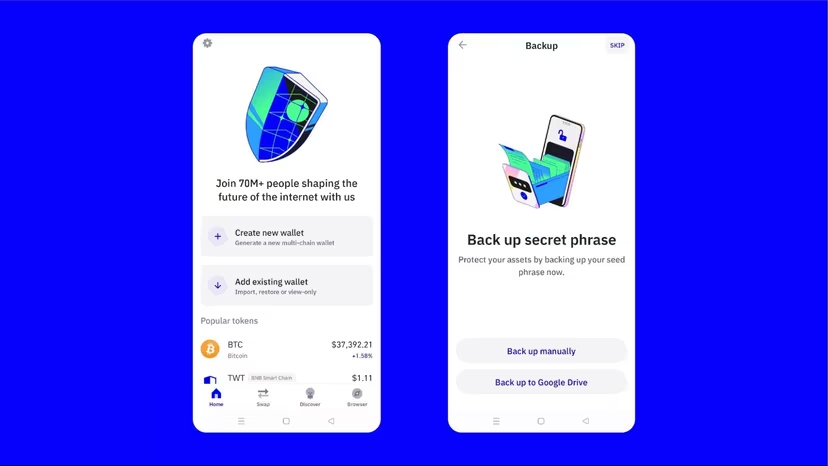
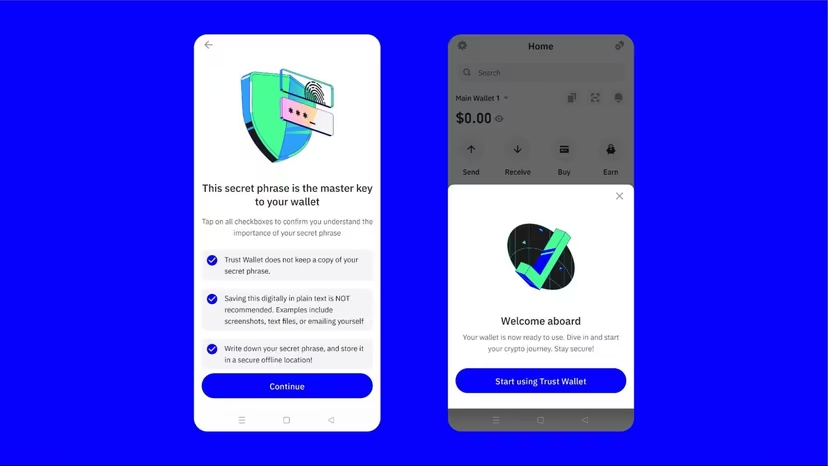
Write down your 12-word recovery phrase and store it offline.
If you lose it — your Bitcoin cannot be recovered.
If you lose it — your Bitcoin cannot be recovered.
5
Create a 6-digit passcode and enable biometric protection (FaceID / Fingerprint).
6
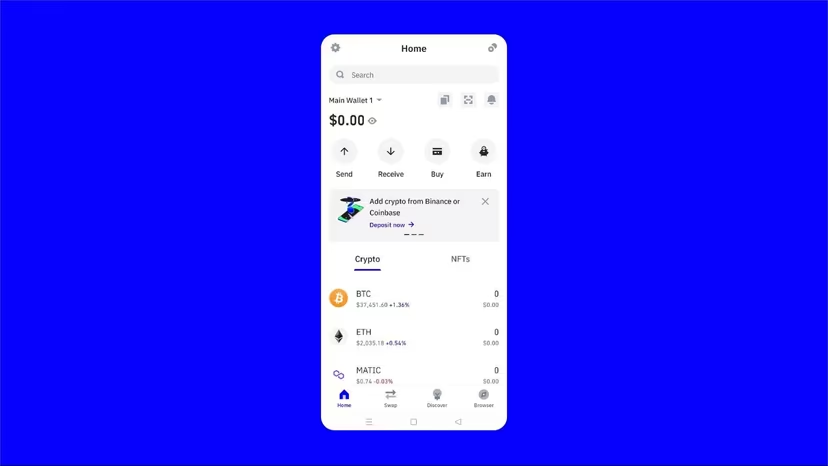
Confirm setup and complete wallet creation.
Step 2 — Buy Bitcoin (BTC)
1
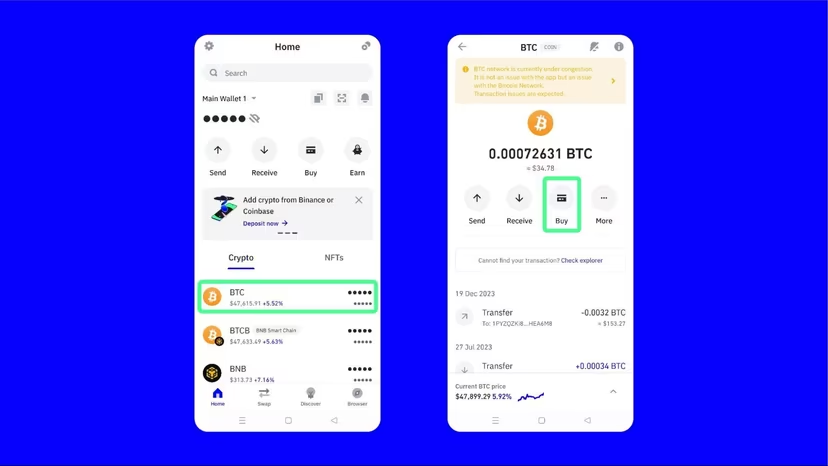
Open Trust Wallet and tap Bitcoin (BTC).
2
Tap Buy.
3
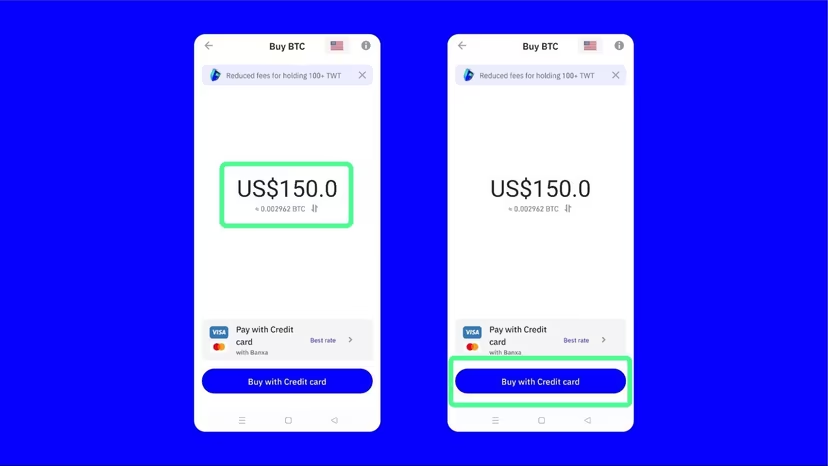
Enter the amount of BTC you want to purchase.
4
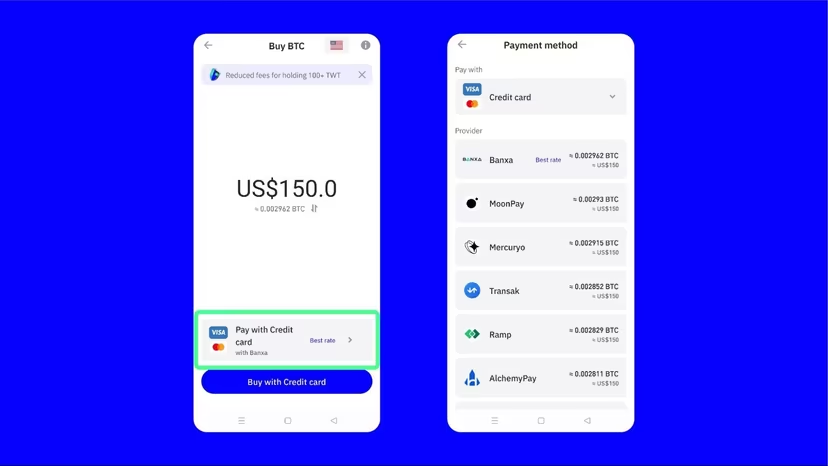
Tap Buy with Credit Card.
5
Select a provider (for example MoonPay) and complete payment.
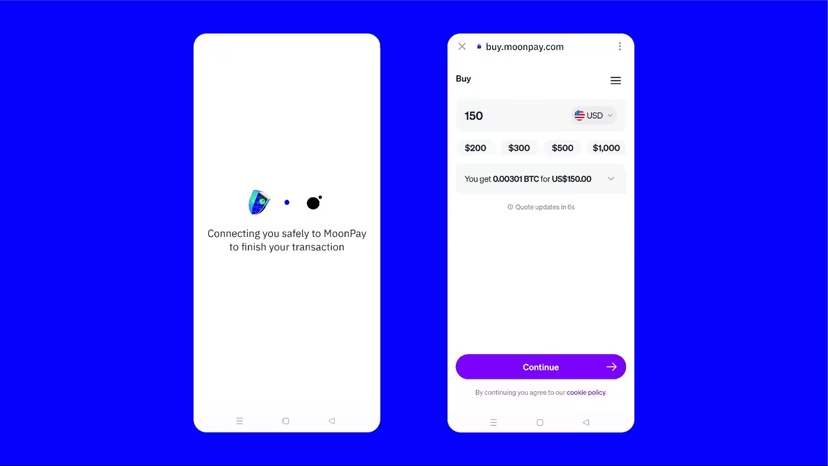
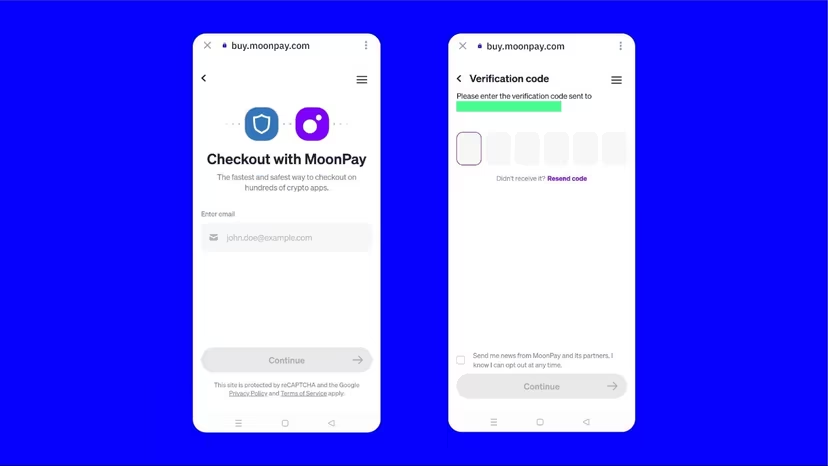
Trust Wallet does not sell cryptocurrency directly.
All purchases are processed by third-party providers.
All purchases are processed by third-party providers.
Step 3 — Send Bitcoin Payment
1
Open your order confirmation email.
2
Copy our Bitcoin wallet address exactly as shown.
3
Tap Send inside Trust Wallet.
4
Paste the BTC address and enter the exact amount from your invoice.
5
Confirm the transaction.
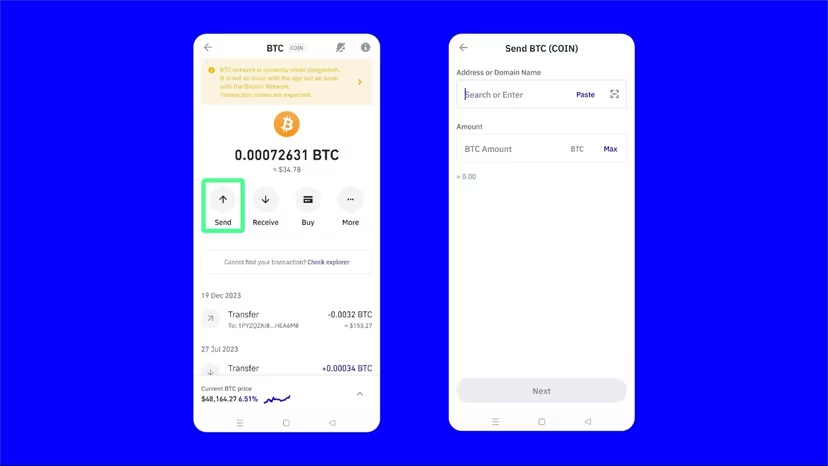
Always double-check the Bitcoin address before confirming.
Crypto transactions cannot be reversed.
Crypto transactions cannot be reversed.
Sending & Receiving Bitcoin
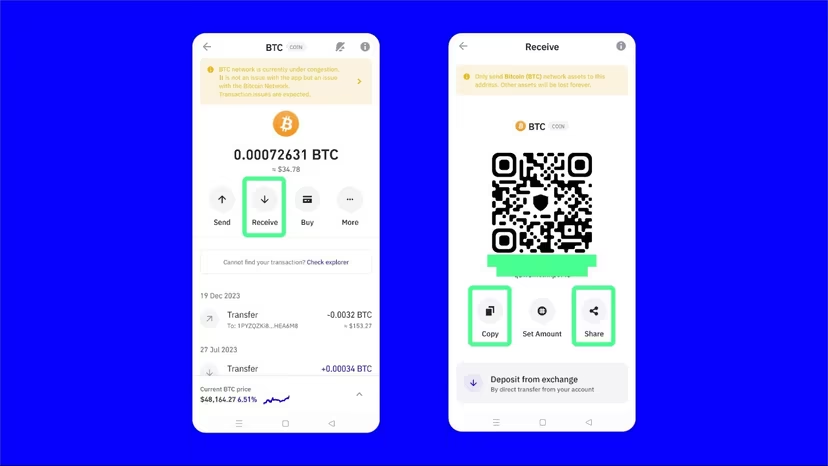
To receive Bitcoin:
Tap Receive and copy your wallet address.
Tap Receive and copy your wallet address.
After Payment
1
Reply to your order confirmation email.
2
Attach transaction hash (TXID).
3
Send screenshot of payment confirmation.
Once the transaction is confirmed on the Bitcoin network, your order will be processed immediately.