
How to Pay Your Order via Bank Transfer, Revolut, Credit Card, Apple Pay or Google Pay
via Buycoin.online – fast & secure
We use the secure payment service Buycoin.online, which allows you to pay for your order via bank transfer, Revolut, credit/debit card, Apple Pay or Google Pay with automatic conversion to USDT (TRC-20).
The process is simple and takes 5–10 minutes. The procedure is simple and intuitive.
Step 1. Go to the payment website
Open the following link:
https://buycoin.online/
Step 2. Enter the payment amount
In the “You send” field, enter the exact amount of your order.
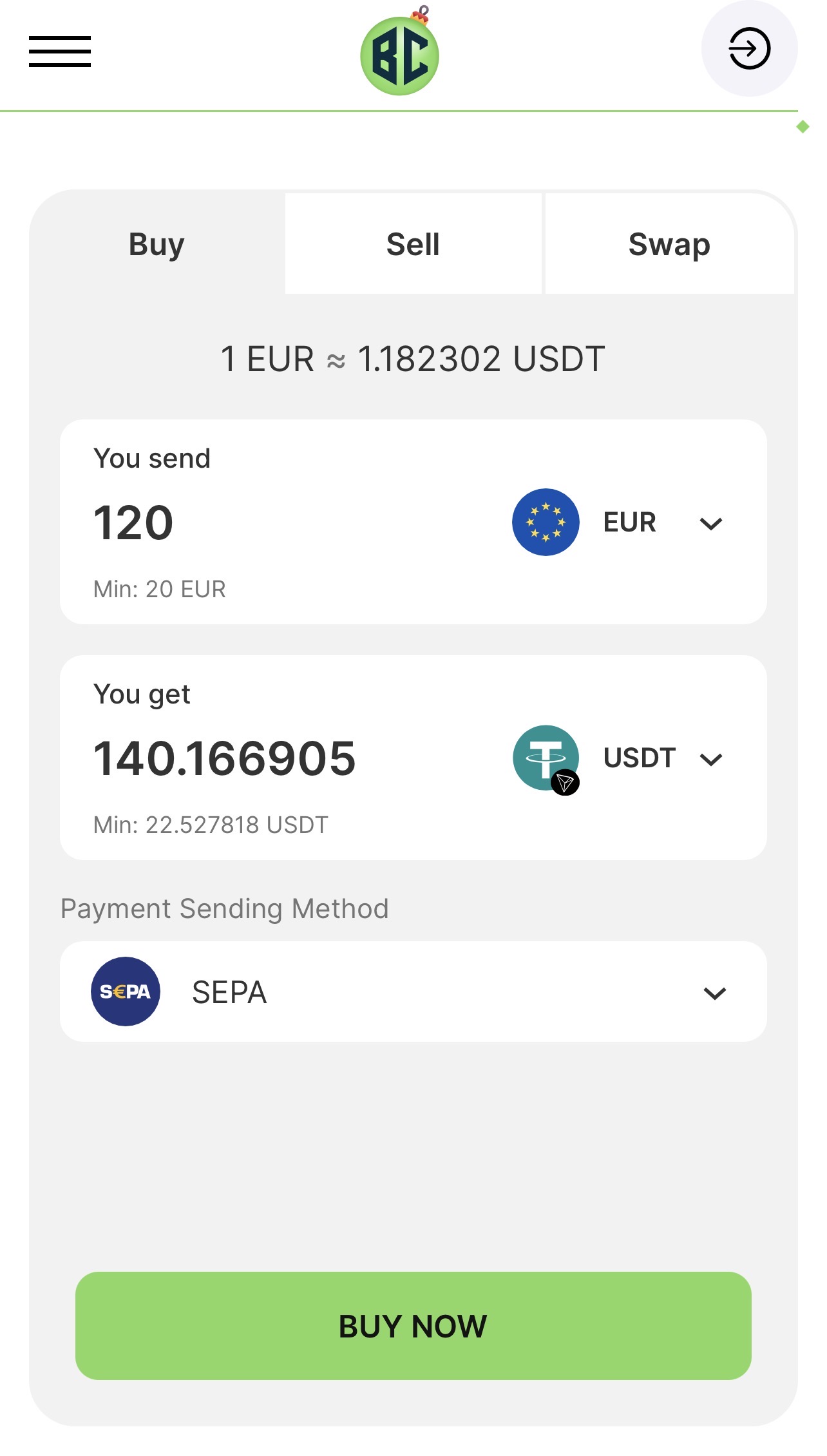
Example: 120 EUR
Step 3. Select the currency you will receive
In the “You get” field, make sure to select: USDT – TRC-20
⚠️ This is very important. Please use USDT (TRC-20) only.
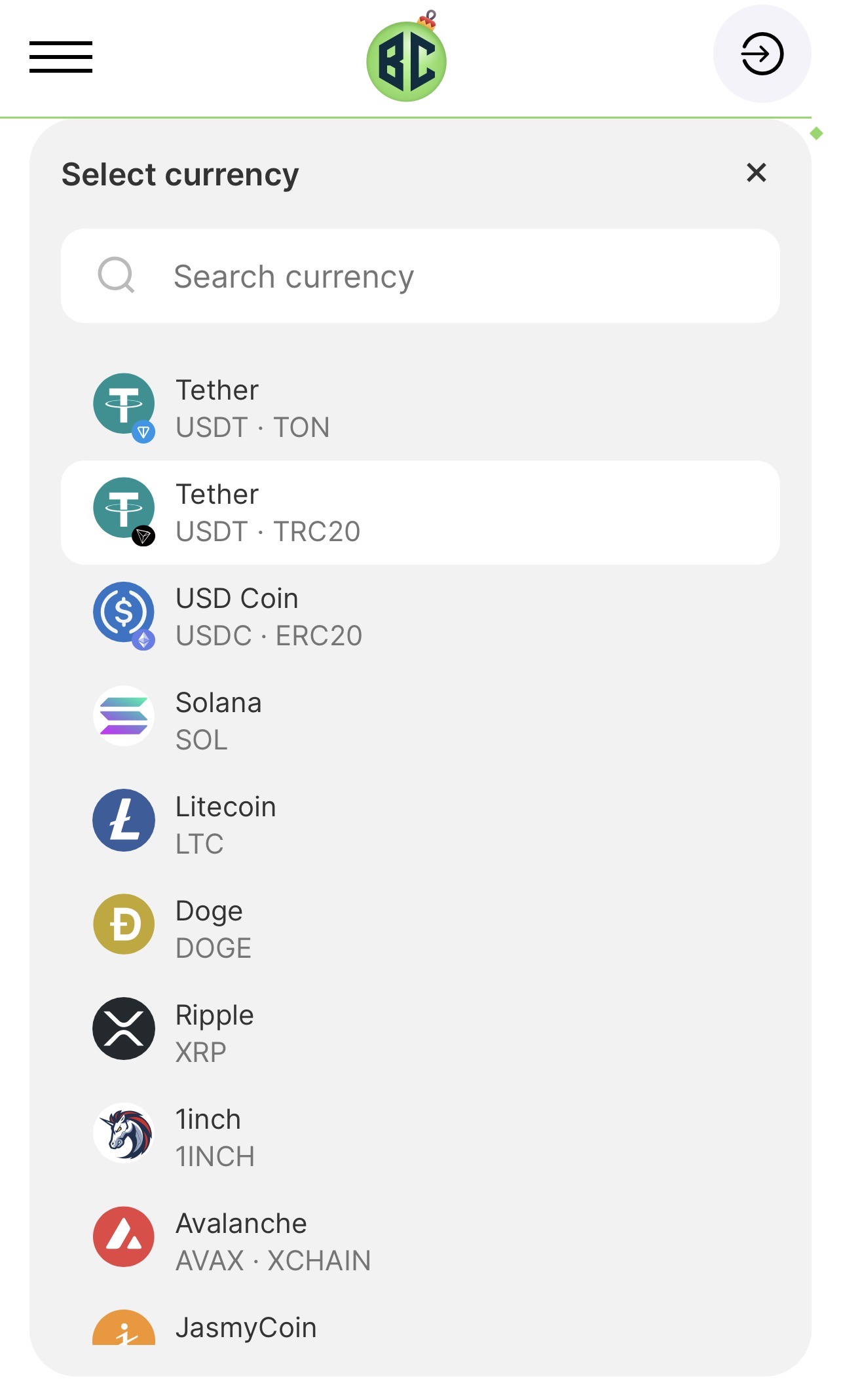
Step 4. Choose your payment method
In the “Payment Sending Method” field, choose the payment method that is most convenient for you:
- SEPA Bank Transfer
- Revolut
- Credit / Debit Card
- Apple Pay
- Google Pay
After selecting the method, click BUY NOW.
Step 5. Email confirmation
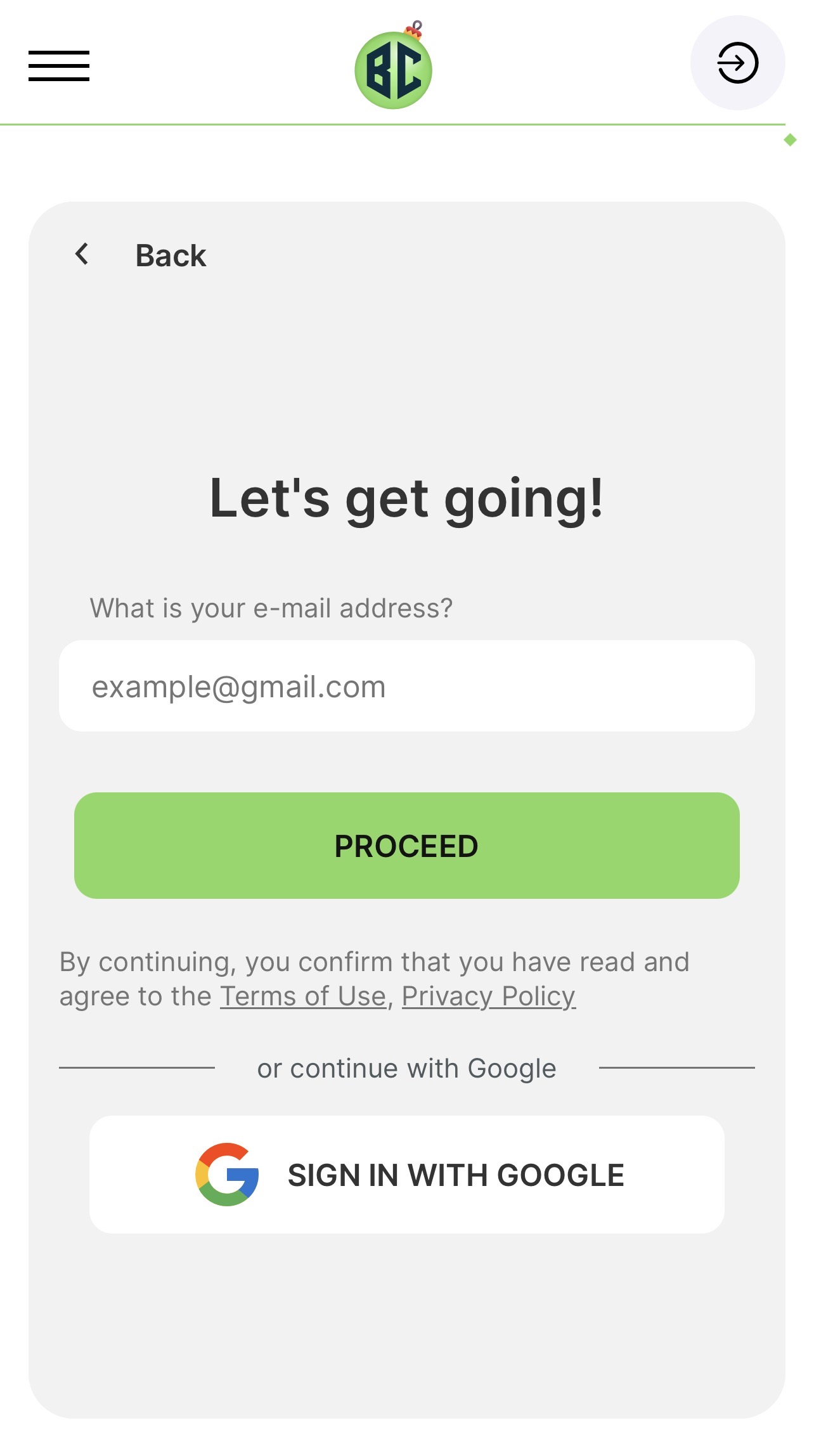
Enter your email address and click Proceed.
You will receive a confirmation code by email.
Enter this code in the “Confirmation code” field.
Step 6. Enter the USDT wallet address
Enter the address of our USDT wallet, which we will provide to you once you confirm your order.
⚠️ Before confirming, please double-check that:
- the USDT – TRC-20 network is selected
- the wallet address is entered correctly
Click Confirm.
Step 7. Identity verification (one-time only)
In the next step, the system will ask you to enter your personal details and complete identity verification (KYC).
This is a standard security procedure required by the payment provider.
✅ It is completed only once. For future purchases, this step will not be required again.
Please note: starting the identity verification process may take a short time.
If the verification screen does not appear within a couple of minutes,
simply refresh the page and continue.
Step 8. Receive invoice & bank details
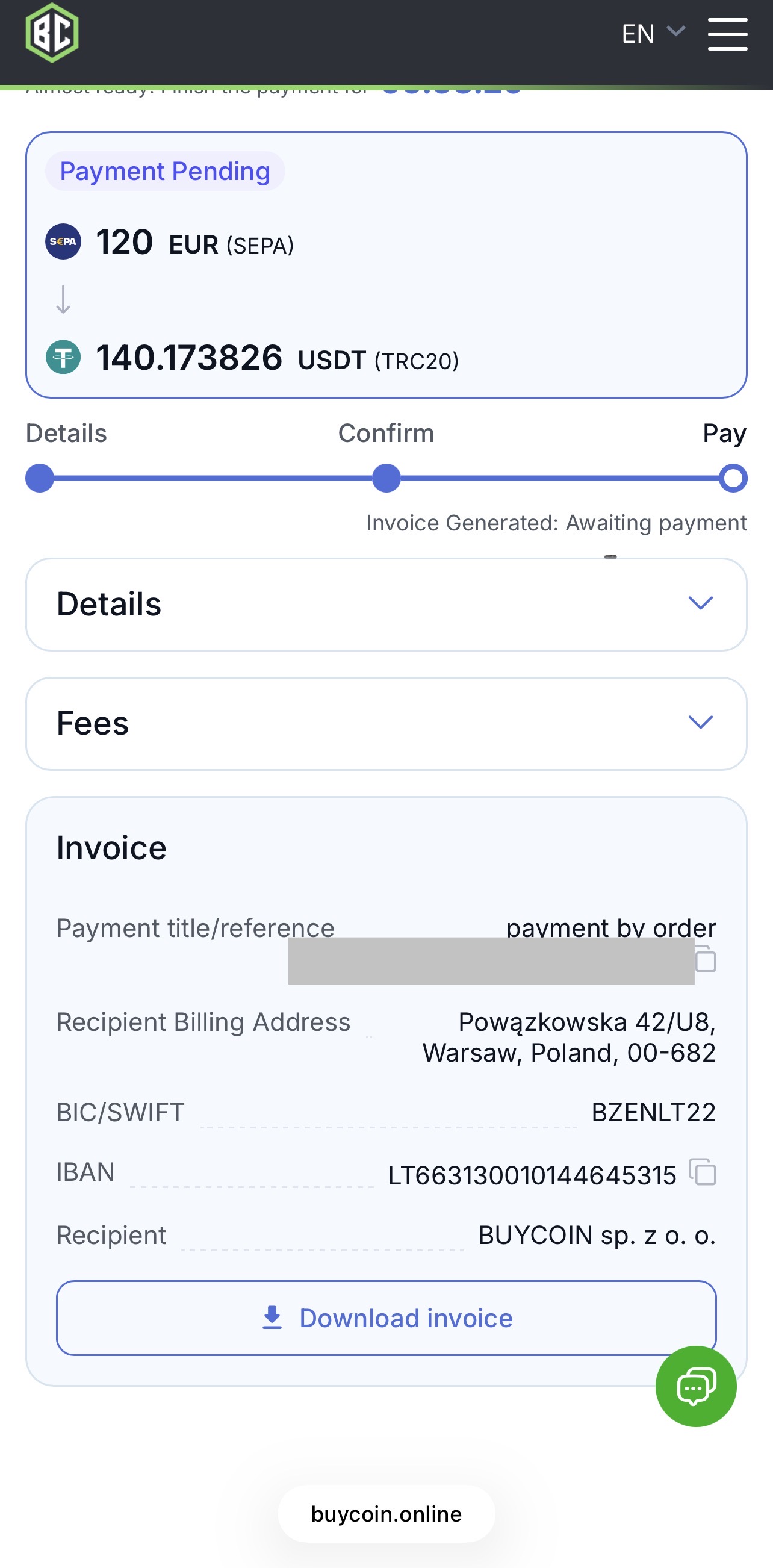
After successful verification, the system will automatically generate:
- an Invoice number
- Bank account details
- a Payment reference / title
Step 9. Make the bank transfer
Log in to your online banking and make the transfer strictly using the bank details generated in the Invoice.
⚠️ Important:
- copy all payment details directly from the Invoice
- enter the Payment title / reference exactly as provided by the system
This is required for correct payment identification.
After sending the bank transfer, no additional actions are required.
As soon as the funds are credited to the recipient’s account, the system will automatically
update the payment status to Completed, as shown in the Invoice.
You will also receive an email notification confirming the successful completion of the payment.
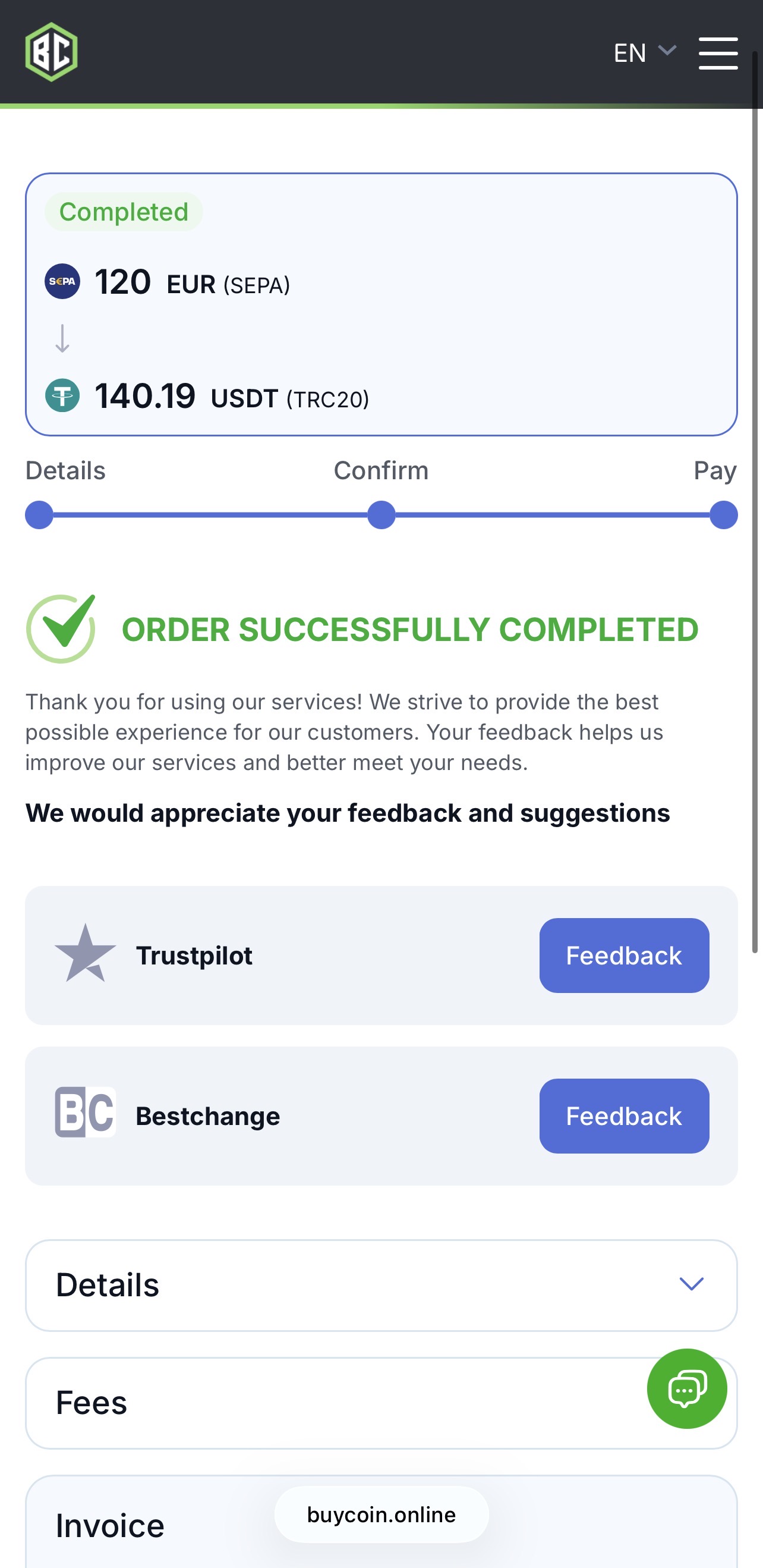
Step 10. Notify us after payment is completed
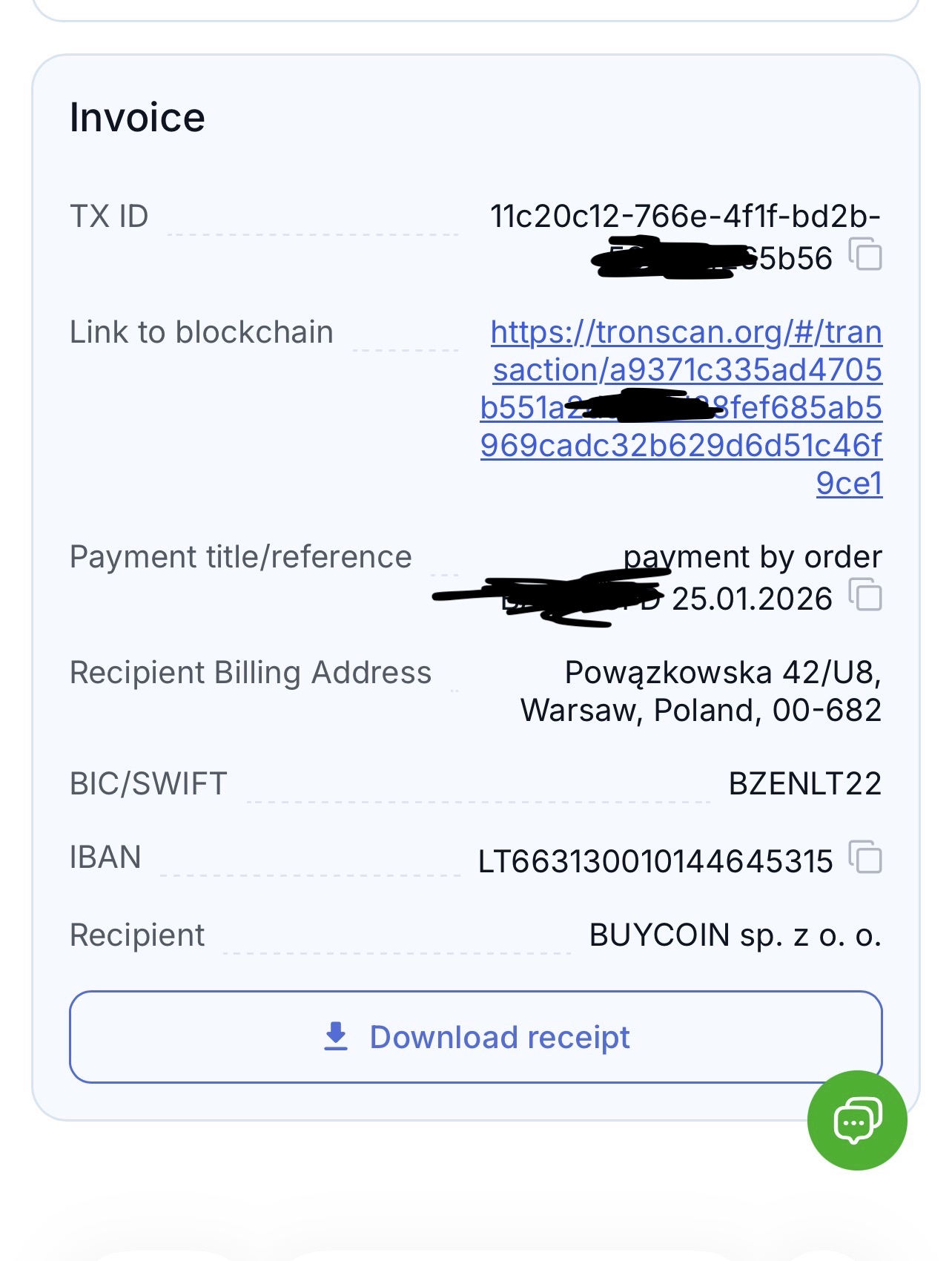
Once the payment status in the Invoice changes to Completed, please notify us that your order has been paid.
You can contact us by email or Telegram.
In your message, please include:
- your order number
- the transaction link (for example, the “Link to blockchain” shown in the Invoice) or TXID
The transaction link or TXID can be copied directly from the Invoice page.
This helps us quickly verify the payment and proceed with processing and dispatch of your order.
Important notes
- The payment partner is not related to our commercial activity
- The partner does not have access to order, delivery or product information
- Please contact us directly only for any questions